One hub for attendance, payroll, cash, and site control

Bhavya Office Hub is a cloud workforce and site operations platform built for companies that manage people on the ground — not only desks and laptops. Offices with field staff, factories, warehouses, security agencies, facility management companies, logistics hubs, contractors, solar EPC teams, and multi-location businesses all share the same daily reality: people must be present, wages must be calculated fairly, cash and digital payments must be tracked, and a manager somewhere needs a clear answer before the next pay cycle closes. When that reality is managed through a mix of WhatsApp groups, printed registers, and personal spreadsheets, the answer usually arrives late, incomplete, or disputed.
The platform brings the core of daily operations into one place: face recognition attendance, QR badge check-in for gates and checkpoints, payroll and salary sheets generated from actual working days, a cash ledger with optional UPI receipt capture, site cost split across projects or locations, contracts and leave logs, role-based access for managers and supervisors, and gate-ready kiosk workflows for busy entry points. None of these modules is meant to impress in a demo. Each one is meant to remove one specific piece of month-end guesswork that costs real time and, eventually, real money.
What makes this different from generic HR software is the assumption baked into the design: attendance does not happen at a desk, payroll is not the only financial record that matters, and the person entering data in the morning may be standing at a gate with a phone, not sitting at a laptop with a mouse. Bhavya Office Hub is built around that person first, and the reporting that managers need is generated from what that person records — not the other way around.
Why WhatsApp and spreadsheets stop working
They feel free and familiar right up until the company grows past a handful of trusted people.
Almost every company we talk to already "has a system." It usually looks like a WhatsApp group where supervisors post headcount photos each morning, a shared Excel file that one person updates at night, and a stack of paper vouchers in a drawer for cash spent on site. This works surprisingly well for a small team with one location and one person who remembers everything. It stops working the moment any of three things happen: the team grows, a second site opens, or a dispute lands on someone's desk.
Chat threads are not records — they are conversations. A photo of a muster roll sent at 8:05 a.m. is easy to lose in a group with two hundred messages a day. Voice notes cannot be searched. Screenshots of UPI payments get deleted when a phone runs out of storage. None of this is a character flaw in the people using these tools; it is simply what chat applications are designed for, and it is not what a business record is designed for.
Spreadsheets have the opposite problem. They look authoritative, but they are only as accurate as the last manual entry, and there is rarely a trail showing who changed a number, when, or why. A single formula error in a payroll sheet can silently underpay or overpay dozens of workers for months before anyone notices — usually when a worker complains, not when the sheet is reviewed. Paper registers add a third failure mode: they exist in exactly one physical location, they degrade, and they cannot be searched by anyone who was not the one holding the pen that day.
None of these tools are "wrong" to use in isolation. The trouble is running an entire company's attendance, payroll, and cash trail across all three at once, with no shared source of truth. That gap is exactly where Bhavya Office Hub is designed to sit — not replacing human judgment on site, but giving that judgment a single, dependable place to land.
There is also a quieter cost that rarely shows up in a single dramatic incident but accumulates steadily over a year: the time a manager or owner spends every single month re-deriving facts that should already be known. Ten minutes here checking a screenshot, twenty minutes there cross-referencing a register against a spreadsheet, an hour on a Sunday evening before payday trying to remember which advances were already settled. None of these individual moments feels like a crisis. Added together across twelve months and several sites, they represent weeks of senior time spent on work that a properly designed system would have already completed automatically.
Outcomes managers notice in the first few pay cycles
Software should change what a Monday morning or a month-end close feels like — not just add another login.


Attendance disputes drop sharply
When attendance is captured through face recognition or a QR scan at the moment someone arrives, there is far less room for "I was there but nobody marked me" arguments weeks later. The record exists at the time of the event, not as a reconstruction. Supervisors spend less time mediating disagreements and more time actually running the site or floor.
Payroll closes in hours, not days
Instead of exporting three spreadsheets, cross-checking a paper register, and manually typing working days into a payroll template, a manager opens the pay period, reviews days that are already calculated from attendance, adjusts the handful of genuine exceptions, and downloads a salary sheet. The heavy lifting — counting — is already done before the manager even opens the screen.
Cash stops disappearing into chat history
Site cash for materials, transport, or worker advances gets logged as it happens, in a ledger built for that purpose, with optional UPI receipt capture attaching proof to the entry. Instead of scrolling through a week of WhatsApp photos before a client audit, the ledger already has the answer.
Owners get a real answer about site cost
Site cost split ties labour and expense data to the location or project that generated it. "Labour cost went up" becomes "Site B ran heavier overtime than Site A for three weeks" — a statement an owner can actually act on, instead of a vague feeling that something got more expensive.
What a single working day looks like on the platform
Abstract feature lists are hard to picture. A single ordinary day makes the change easier to see.
Morning — attendance at the gate
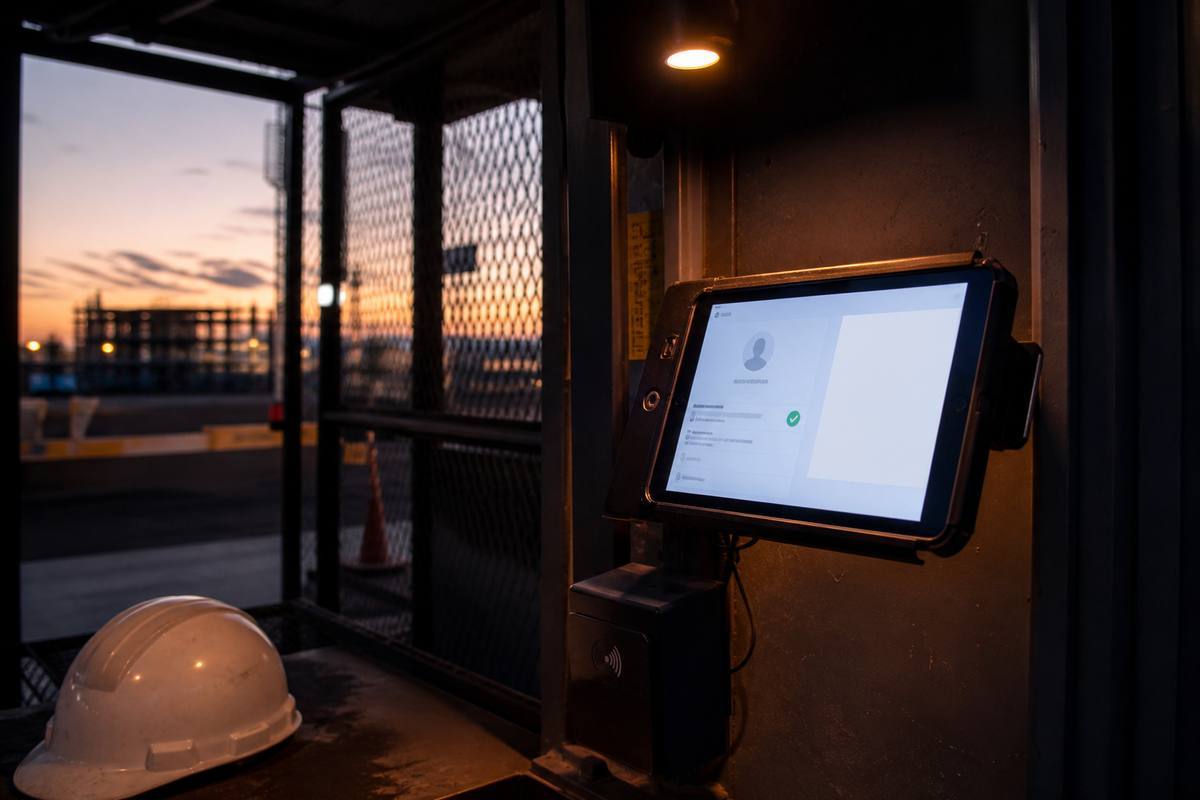
Workers arrive at a site gate or office entrance between 8:00 and 8:30 a.m. Some scan through face recognition; others, especially at a high-traffic construction gate, tap a printed QR badge for a checkpoint-style check-in. Each event is timestamped the instant it happens. There is no separate step where someone "writes it down later," because the writing down already happened as a side effect of walking through the gate.
Mid-morning — the manager's five-minute check
A manager overseeing several locations opens today's attendance checklist from a phone, between other tasks. Two names are missing from Site B. A quick message to the supervisor there resolves it — one worker is running late, one called in sick and needs a leave entry logged. This takes minutes, not the half a day it might take to notice the same gap only when payroll is being prepared two weeks later.
Afternoon — a cash purchase happens on site
A supervisor buys additional materials using site cash and logs the entry directly into the ledger, attaching a UPI receipt where digital payment was used. The entry is tied to that site automatically, so it will already be reflected correctly when cost split is reviewed at month-end, instead of surfacing as an unexplained cash gap three weeks later.
End of month — payroll closes without drama
When the pay period ends, a manager opens payroll for that cycle. Working days are already calculated from four weeks of attendance records. A handful of genuine exceptions — an approved half-day, a documented leave period — are applied as visible overrides. The salary sheet is downloaded as a PDF and used for payout. What used to take an entire evening of cross-checking three files now takes well under an hour, and the manager actually trusts the number at the end of it.
The following week — someone asks a hard question
A client, or an owner, or a worker, asks about a specific day three weeks earlier — was a particular crew on site, how much cash was spent that week, what the site cost looked like against the previous month. Instead of scrolling through chat history or hunting for a paper register, the answer is a short search away, because the record was built at the time the events happened, not reconstructed afterward under pressure.
What managers specifically gain
The platform is written for the person who has to answer for attendance, pay, and cash — not just the person who signs off on software.
Visibility without standing at every gate
A manager overseeing three sites cannot physically be at all three gates every morning. A live daily attendance checklist means that manager can see, from a phone or a laptop, who has checked in and where the gaps are — while there is still time to call a supervisor and act, rather than discovering the gap during payroll two weeks later.
Less time spent reconstructing, more time spent approving
The single biggest time cost in field operations management is not decision-making — it is rebuilding a picture of what already happened from fragments scattered across chats, sheets, and memory. When the record already exists in one place, a manager's job shifts from archaeology to approval, which is a far better use of a scarce, senior person's time.
Fewer arguments to referee
Disputes over attendance, wages, or expenses consume a disproportionate amount of management energy relative to their actual value. A clear, timestamped record does not eliminate every disagreement, but it moves most conversations from "he said, she said" to "here is what the system recorded," which resolves things faster and with less resentment on either side.
Role-appropriate control
Managers can keep ownership of payroll, subscription, and organization settings while giving supervisors the tools they need to run day-to-day site control — attendance scanning, gate activity, and local oversight — without handing over access to sensitive financial screens. Authority on paper starts to match authority in the system.
A single number to trust at month-end
When attendance, payroll, and the ledger live in the same hub, the numbers a manager presents to an owner, a client, or an auditor come from one consistent trail rather than three files that were never designed to agree with each other in the first place.
How to evaluate workforce and site operations software
A short, practical checklist for the manager or owner who has to actually live with the choice.
Does it match how attendance really happens on your ground?
Some teams need face recognition at a controlled entrance. Others need fast QR scanning at a high-traffic gate where dozens of workers arrive within minutes. Ask any vendor to show both flows, not just the one that looks best in a marketing video. Software that only supports one method will eventually force your team back into paper for the cases it cannot handle.
Can payroll be generated from attendance, or is it still manual?
The real test of a workforce platform is whether payroll pulls working days automatically from attendance records, with room for genuine overrides, or whether "payroll integration" just means exporting a file that someone still retypes by hand. If the second is true, you have not actually removed the manual step — you have only moved it.
Is there an honest place for cash and UPI, not just card payments?
Many Indian field operations still run on a mix of cash and UPI, not corporate cards. Ask whether the ledger is built for that mix, and whether receipt capture is designed for how your team actually pays — quick UPI transfers, cash advances, small local purchases — rather than assuming every transaction looks like a formal invoice.
Can supervisors work without becoming a security risk?
A supervisor needs enough access to run the site, and no more. Ask how the platform separates manager-level financial control from supervisor-level daily operations. If everyone shares one login or one role, you have not solved the access problem — you have just centralized the risk in a different password.
What happens if one laptop breaks or one person leaves?
Ask directly: if the person who "owns" the spreadsheet or the office PC is unavailable for two weeks, does operations stop? Cloud-hosted records exist independently of any single device or person, which matters far more during a crisis than during a calm sales demo.
Will your team actually open it every day?
The best software is the one people use at 7:30 in the morning without being reminded. If a tool requires ten steps to mark twenty people present, your team will quietly return to WhatsApp within a month. Judge software by how fast the single most common action — marking attendance — actually is in practice, not by the length of its feature list.
Can you start small and expand?
A rollout that tries to digitize every process on day one is the most common way implementations fail. Look for a path that lets you pilot one site or one team, prove the attendance and payroll workflow works, and then expand into ledger discipline, cost split, contracts, and leave tracking once the daily habit is established.
Most companies that succeed with Bhavya Office Hub do not try to switch everything over in one week. They enroll one team or one site first, run daily face or QR attendance for a full pay cycle, and close one payroll period end-to-end before expanding into the cash ledger, site cost split, contracts, and leave logs. That staged approach builds trust in the numbers before those numbers start driving decisions about pay and cost.
Because the platform is cloud-hosted, a manager travelling between locations can review attendance, approve a payroll period, or check the ledger from a phone just as easily as from an office desktop. Supervisors on site get tools scaled to what they actually need — attendance scanning and local oversight — while managers retain control over the settings and financial records that should not be casually edited by everyone with a login.
This continuity matters most exactly when it is tested: when a key person is travelling, when a laptop fails, or when a new site opens faster than anyone expected. A shared cloud record does not depend on one person's memory or one device's hard drive to keep functioning.
Start with one team, expand with confidence
A staged rollout protects both your data quality and your team's patience.
Records that a manager can stand behind
Attendance and payroll data decide real wages and real trust on the ground. Bhavya Office Hub treats that data as business-critical, not as an afterthought bolted onto a chat app. Organization boundaries, role-based access, and deliberate control over sensitive settings mean that day-to-day convenience for supervisors does not come at the cost of control for managers and owners.
None of this replaces good judgment on site. Supervisors still know their crews. Managers still approve exceptions. What changes is the starting point: records begin structured, searchable, and shared, so human judgment is spent on genuine exceptions instead of reconstructing an entire month from scattered photos and memory.
If your company is still running attendance, payroll, and cash tracking across WhatsApp threads, printed registers, and personal spreadsheets, the honest question is not whether that system has worked so far — it clearly has, to some degree, or you would not still be running it. The question is what it costs in disputed wages, missed cost overruns, and hours spent reconstructing last month, every single month, indefinitely.
That recurring cost is easy to underestimate precisely because it never appears as a single line item. It shows up as a slower month-end close, as a manager's Sunday evening spent on payroll instead of family time, as a nagging uncertainty about whether a particular site really was as expensive as it felt. None of these show up on a balance sheet directly, but all of them shape how confidently a company can grow past its current size, take on a new client, or open a new site without operations quietly becoming harder to manage as the business gets bigger.
See the full feature list, or talk to us about your sites
Explore every module in detail on the features page, or request access and tell us about your team size, locations, and current attendance method — we will help you map a rollout that fits how your company actually runs.