A staged rollout that respects the site you're already running
The fastest way to fail at digitizing field operations is trying to change everything on day one. Bhavya Office Hub is designed to be adopted in stages, each one producing a visible win before the next begins.

Companies that manage people on the ground rarely have the luxury of pausing operations to implement new software. Crews still need to show up, wages still need to be paid, and materials still need to move, all while a new system is supposedly being introduced. The rollout approach that works in this environment is staged: enroll the crew, run attendance on one site until it is second nature, close one full payroll cycle cleanly, and only then add ledger discipline and site cost split on top of a foundation that is already solid.
This page walks through that staged rollout in detail, then moves into the day-to-day rhythm that keeps the system useful once it is running — what a supervisor should be doing every single day, what a manager should be reviewing every week and every month, and a practical field guide covering everything from attendance integrity to how you should actually measure whether the rollout worked. The goal throughout is the same: fewer disputes, faster month-end closes, and a system people keep using because it makes their day easier, not harder.
Four stages, each one a complete win on its own
Every stage should leave the team better off than before it started — not waiting for a "big launch" months later.
-
Enroll the crew
Capture face photos and basic profiles for your core team, assign sites, and issue QR badges where needed.
-
Run attendance on one site
Prove the daily habit works in one place before expanding — a live checklist, not a leap of faith.
-
Close one payroll cycle
Let attendance drive working days for a full pay period and generate the first clean PDF salary sheet.
-
Turn on ledger & cost split
Add cash discipline and per-site cost visibility once attendance and payroll are already routine.
Notice what this sequence deliberately avoids: it does not ask a supervisor to learn attendance, payroll, ledger discipline, leave logging, and contract management all in the same week. Each stage builds on a habit that is already working, rather than layering a new habit on top of one that has not yet had time to stick. Companies that try to launch everything simultaneously usually see a burst of enthusiasm followed by a slow retreat back to WhatsApp and spreadsheets, because no single habit ever became automatic before the next one was introduced.
The sections below go through each of these four stages in enough detail that a manager or owner can run the rollout without external consulting help — just a clear plan, one site to prove it on, and the discipline to finish one stage before starting the next.
Enroll the crew properly, once
Enrollment quality determines how smoothly every later stage runs. Rushing this step creates rework later.
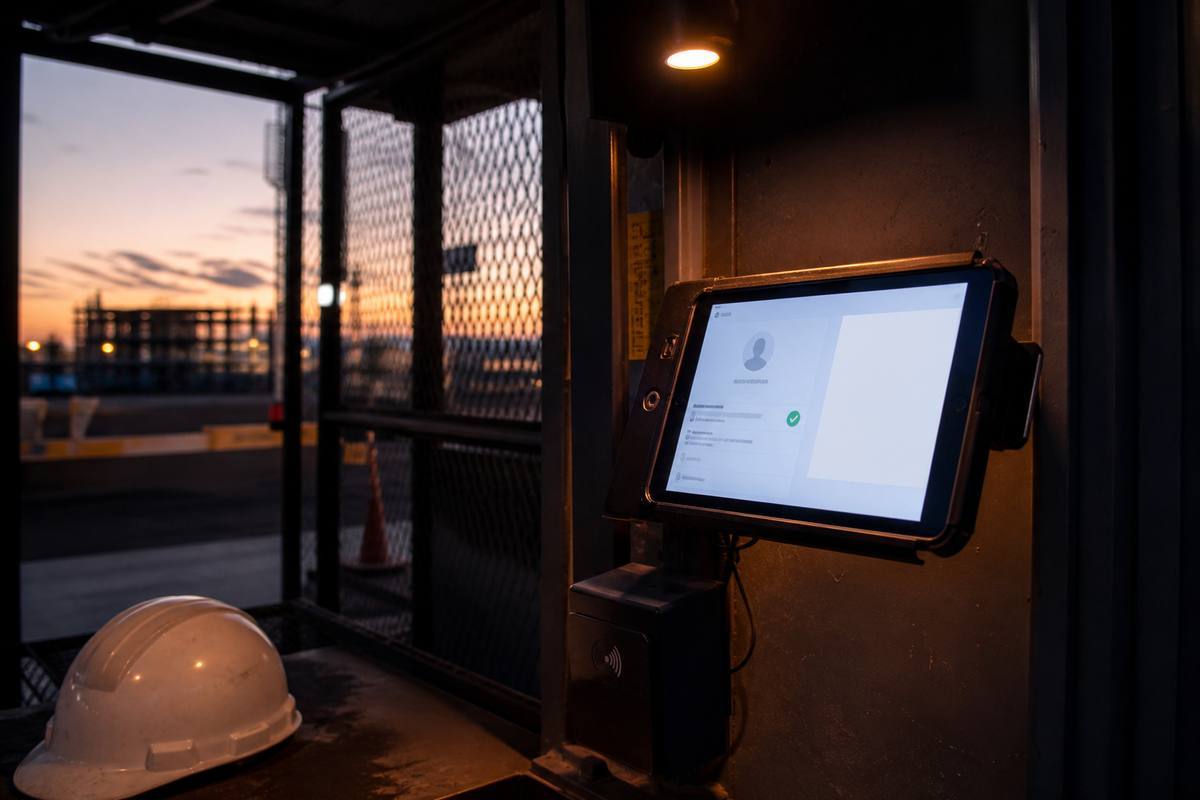
Enrollment is the foundation everything else sits on. For each worker or staff member, a manager or supervisor records a face photo, basic identity details, site assignment, and pay terms. Where QR badges will be used, badges are generated and issued at the same time. This step takes real but modest effort per person — a few minutes each — and the return on that effort compounds every single day the system is used afterward.
Photo quality matters more than people expect
A rushed, poorly lit, or badly angled enrollment photo makes daily face recognition less reliable and creates small frustrations that add up over weeks. Taking an extra thirty seconds per person during enrollment — good lighting, a neutral background, the face clearly visible — is one of the highest-leverage habits a company can build into its rollout from day one.
Start with the core crew, expand deliberately
You do not need every single employee across every site enrolled before you begin. Start with the crew on the pilot site chosen for stage two, get comfortable with the enrollment flow, and expand to additional sites and staff once the process feels routine. A smaller, well-executed first batch teaches the team more than a large, rushed one.
Assign supervisors as you enroll
While enrolling workers, this is also the natural moment to set up supervisor accounts for the people who will run day-to-day attendance and ledger entries on each site. Getting role assignment right at this stage avoids a scramble later where a supervisor discovers they lack access to something they need during an actual shift.
Run attendance on one site until it's automatic
Pick one site. Prove the daily habit there before asking every location to adopt it at once.
With the crew enrolled, the second stage is to run live attendance — face recognition, QR badges, or both — on a single chosen pilot site for a full working cycle, typically one to two weeks. The goal is not to test the software; the software already works. The goal is to build the human habit: workers scanning in without being reminded, supervisors checking the daily list without being asked, and gate staff treating the scan as simply part of arrival rather than an extra chore layered on top of their normal job.
Why one site first, not all sites at once
Rolling out attendance everywhere simultaneously multiplies the number of things that can go wrong at the same time and makes it harder to tell whether a problem is with the process, the device, or simple unfamiliarity. A single pilot site lets a manager troubleshoot in one place, fix the rough edges, and then expand a proven routine to additional sites with confidence rather than hope.
Watch the daily checklist, not just the reports
During this stage, the daily attendance checklist is more valuable than any weekly report. A manager who checks it each morning can see immediately whether the habit is forming — are workers checking in on time, is the supervisor reviewing the list, are there recurring gaps at a particular checkpoint — and correct course within days rather than discovering the problem a month later.
Expand only once the pilot feels boring
The clearest signal that a pilot site is ready for the system to expand elsewhere is when attendance stops feeling like a project and starts feeling routine — nobody is talking about it anymore because it simply happens every morning. That quiet, boring reliability is exactly the outcome to look for before adding a second, third, or tenth site to the rollout.
Close one payroll cycle end to end
The first payroll cycle run from real attendance data is the moment the rollout proves its value to everyone, not just to management.

Once attendance has run reliably for a full pay period on the pilot site, the third stage is to let that attendance data drive payroll end to end: select the pay period, review the working days the system has calculated, apply any legitimate overrides, and generate the first PDF salary sheet directly from the app. This is deliberately the first payroll cycle run this way — not a parallel run alongside the old spreadsheet, but the actual cycle used to pay people.
Review before you trust, then trust
For this first cycle, a manager should review the calculated working days against their own knowledge of the period before approving — not because the system is expected to be wrong, but because building confidence in a new process benefits from a careful first pass. Most managers find the numbers match their expectations closely, and that confirmation is itself valuable: it is the evidence that lets them trust the process going forward without re-checking every cycle by hand.
Let workers see the difference
Workers notice when a payroll cycle is unusually free of the disputes and corrections that used to accompany month-end. A clean first cycle — clear working days, a PDF sheet they can review, no last-minute arguments about who was present when — does more to build trust in the new system among the workforce than any amount of explanation beforehand.
Document what needed an override, and why
Any overrides applied during this first cycle are worth a brief note explaining why — a device outage, an approved special circumstance, a genuine data-entry correction. That habit of documenting exceptions, established early, keeps the payroll process auditable indefinitely and prevents "just this once" adjustments from becoming an untracked pattern.
Turn on ledger discipline and site cost split
Only after attendance and payroll are routine should cash and cost visibility be added — they depend on the habits built in stages one through three.

With attendance and payroll running smoothly, the fourth stage introduces the cash ledger and, where relevant, UPI receipt capture and site cost split. Supervisors begin logging cash entries as they happen rather than after the fact, and managers start reviewing per-site cost breakdowns that combine attendance, payroll, and ledger data into a single picture of what each project actually costs.
Why this stage comes last, not first
Cost split is only as good as the attendance and payroll data feeding it. Introducing it before those foundations are solid produces numbers nobody quite trusts, because the underlying attendance itself is still inconsistent. Waiting until stages one through three are genuinely routine means the cost figures that appear in stage four are built on data everyone already believes.
Build the ledger habit daily, not monthly
The single most important behavior to establish in this stage is same-day ledger entry. A supervisor who logs a cash movement the day it happens keeps the record accurate; a supervisor who tries to reconstruct a month of cash movements from memory at the end of the period reintroduces the exact problem the ledger exists to solve. This habit, more than any feature of the software itself, determines whether the ledger is useful.
Expand cost split gradually across sites
As with attendance in stage two, it is reasonable to bring cost split online for one or two sites before rolling it out everywhere. This lets managers get comfortable interpreting the reports — understanding what a healthy cost pattern looks like for their business — before relying on comparisons across many locations at once.
The daily supervisor workflow
Once the rollout is complete, the system only stays useful if a simple daily rhythm becomes routine at the site level.
A supervisor's day with Bhavya Office Hub follows a natural arc that mirrors the shift itself: a morning arrival window where attendance is captured, a midday period where exceptions and small cash movements are logged as they occur, and an evening close where the day's record is reviewed and tidied up before it becomes yesterday's history.
Morning: capture attendance as people arrive
As workers and staff arrive, the supervisor or gate attendant scans faces or QR badges at the entry point, letting attendance build up naturally through the arrival window rather than trying to mark everyone present in one rushed batch later. Within the first half hour or so of the shift, the daily checklist should already show a near-complete picture of who is on site — and, just as importantly, who is not yet there.
Mid-morning: chase the gaps while it's still useful
Once the arrival window closes, a quick look at the checklist reveals anyone expected but not yet checked in. This is the moment to act — a phone call, a message, a reassignment of work — while there is still time to do something useful about it. Waiting until end of day to notice a gap turns a fixable problem into a payroll question weeks later.
Through the day: log cash and exceptions as they happen
Any cash handed out for a local purchase, an advance given to a worker, or an exception worth noting — a worker sent home early, an approved late arrival — gets logged in the moment rather than saved up for later. Same-day logging is the single habit that keeps both the ledger and the attendance record trustworthy; anything postponed to "later" tends to lose detail or get forgotten entirely.
Evening: review, don't reconstruct
At the end of the shift, a brief review of the day's attendance and ledger entries — checking for anything that looks off, confirming any checkpoint scans that were expected but missing — closes the day cleanly. Because entries were logged throughout the day rather than saved for the evening, this review takes minutes rather than the hour or more it would take to reconstruct an entire day's activity from memory at closing time.
The manager's weekly rhythm
Managers do not need to check the system constantly — a consistent weekly review is enough to catch problems early and keep supervisors accountable.
A manager overseeing multiple sites or a larger team benefits from a fixed weekly checkpoint rather than sporadic, reactive glances at the system. Picking a consistent day and time — a Monday morning review of the previous week, for example — turns oversight into a habit rather than a source of last-minute stress.
Review attendance patterns across sites
A weekly view across all active sites reveals patterns a single day's checklist cannot: which sites are consistently short-staffed on certain days, which supervisors reliably review their checklist and which do not, and whether any site is showing an unusual pattern of late scans or missing checkpoints worth a direct conversation.
Spot-check the ledger for consistency
Rather than reviewing every single ledger entry, a manager can spot-check a sample from the week — does the pattern of entries look consistent with what the site is actually doing, are receipts attached where UPI payments were used, does anything look like it was entered in a batch at the last minute rather than logged as it happened. Irregular patterns are usually visible well before they become a real problem.
Follow up on leave and exceptions promptly
Leave requests and attendance exceptions logged during the week deserve a weekly follow-up rather than being left to accumulate until payroll. Approving or clarifying leave promptly, while the context is still fresh, avoids the exact ambiguity a leave log was meant to prevent in the first place.
Use the weekly review to coach, not just audit
The most useful outcome of a weekly review is not a list of things done wrong — it is a short, specific conversation with a supervisor about a pattern worth adjusting: staffing that seems heavier than the workfront needs, a checkpoint that is regularly skipped, a ledger habit that is slipping. Treating the weekly rhythm as coaching, not just inspection, keeps supervisors engaged with the system rather than defensive about it.
The manager's monthly rhythm
Month-end should be a short approval step, not a reconstruction project — that is the entire point of everything upstream in the daily and weekly rhythm.
If the daily supervisor workflow and weekly manager rhythm have been followed consistently, the monthly cycle becomes almost mechanical: close attendance for the period, generate payroll, reconcile the ledger, review cost split across sites, and handle any outstanding contract or leave items — each step drawing on data that has already been checked along the way rather than being examined for the first time at month-end.
Close attendance before generating payroll
The first monthly step is confirming the attendance period is complete and clean — no missing days that should have a checkpoint scan attached, no unresolved gaps from earlier in the month. Payroll generated on top of an incomplete attendance record simply inherits that incompleteness, so this confirmation step is worth the few extra minutes it takes.
Generate, review, and approve payroll
With attendance confirmed, payroll generation itself should be fast: select the period, review the working days and any overrides applied during the month, and approve the PDF salary sheets for each site or team. Because exceptions were documented as they happened rather than discovered now, this review is a confirmation step rather than an investigation.
Reconcile the ledger against the month's activity
A monthly ledger reconciliation checks that the pattern of entries over the full period makes sense against known site activity — material purchases that align with project progress, advances that match what supervisors reported verbally, UPI receipts present where digital payments were used. Any gaps are far easier to resolve now, while the month is still fresh, than in a much later audit.
Review cost split and plan the next month
With payroll and ledger closed, the monthly cost-split review becomes the basis for real planning decisions: which sites need staffing adjustments, where overtime patterns need attention, and whether any project's cost trajectory needs a conversation with a client or partner before it becomes a bigger issue. This is the step where the whole system pays for itself — not by producing data, but by producing decisions.
Start with attendance integrity
Every later number in the system depends on presence being right first. Get attendance integrity wrong and everything downstream inherits the error.
It is worth repeating, because it is easy to underestimate: attendance is the foundation the entire platform is built on. Payroll, cost split, and even leave tracking all depend on presence data being accurate. A company that treats attendance as a minor administrative task, rather than the operational backbone it actually is, will find every later stage of the rollout harder than it needs to be.
Match the method to the context
Face recognition suits controlled entry points where a device can stay in place — office doors, factory gates, warehouse bays. QR badges suit higher-volume or more mobile contexts — outdoor project gates, checkpoints, temporary field offices. Using the right method for each context, rather than forcing one method everywhere, is what keeps attendance capture fast and reliable rather than a bottleneck workers learn to route around.
Make the daily checklist a habit, not a report
The daily attendance checklist is deliberately simple because it needs to be checked constantly, not studied occasionally. A supervisor who glances at it several times during the arrival window catches gaps while they are still fixable; a supervisor who only looks at it once a week is really just generating a historical report, which defeats much of the point.
Treat integrity as a shared responsibility
Attendance integrity is not solely a supervisor's job to police. Workers who understand why accurate attendance protects their own pay — and protects them from being wrongly blamed for someone else's absence — tend to cooperate with the process rather than look for shortcuts around it. A brief, honest explanation at enrollment time, framed around fairness rather than surveillance, goes a long way.
Handling exceptions and disputes without drama
Exceptions are normal. How they are handled determines whether the system builds trust or erodes it.
No field operation runs without exceptions — a device fails briefly, a worker has a genuine emergency, a checkpoint is skipped because of a legitimate access issue. The goal is never a system with zero exceptions; it is a system where exceptions are documented, reviewed, and resolved consistently, rather than becoming informal workarounds that quietly undermine the whole record.
Document the exception at the moment it happens
When something goes wrong with a scan or an entry, the best time to note why is immediately — not weeks later when memory has faded. A short note attached to an override, a leave approval, or a ledger correction preserves the context that would otherwise be lost, and makes any later review far faster and less contentious.
Resolve disputes with the record, not with authority
When a worker disputes a payroll figure or an attendance day, the strongest response is not "trust the supervisor" or "trust the worker" — it is showing both parties the same recorded timeline and letting the facts settle the question. Disputes resolved this way tend to end quickly, because neither side is arguing against the other's memory; they are looking at the same record together.
Watch for patterns, not just isolated incidents
A single missed scan or a one-off cash discrepancy is normal operational friction. A repeated pattern at the same checkpoint, from the same supervisor, or around the same type of entry is worth a direct, specific conversation — not as an accusation, but as a chance to fix a process gap before it becomes a habit that erodes the record's reliability.
Measuring success by fewer disputes, not by feature count
The right way to judge whether the rollout worked is not how many modules are switched on — it is whether daily arguments have actually gone down.
It is tempting to measure a software rollout by activity metrics — logins per day, entries logged, reports generated. Those numbers are not meaningless, but they are not the point either. The real test of whether Bhavya Office Hub is working for a company is much simpler and much more human: are there fewer attendance arguments than there used to be, is payroll closing faster with fewer corrections, are cash trails clean enough to answer a question the first time it is asked, and can a manager or owner explain what happened last week without making three phone calls first.
Fewer attendance arguments
Before rollout, most companies experience some recurring version of a worker disputing a day's presence, a supervisor being accused of marking attendance incorrectly, or a manager unable to settle the disagreement without taking someone's word over another's. A meaningful drop in these arguments — not their complete disappearance, but a clear, noticeable drop — is the clearest sign attendance integrity has actually taken hold.
Faster, quieter payroll closes
A month-end that used to take days of reconciliation and produce a handful of disputed line items, shrinking down to a short review-and-approve step with few or no disputes, is one of the most tangible returns a company can point to. If payroll is still a stressful multi-day reconstruction project six months into using the system, that is a signal to revisit whether the daily and weekly rhythms are actually being followed, not a signal that the software itself has failed.
Cleaner answers under pressure
The real stress test of any operational system is being asked a hard question with no warning — a client asking for last week's site attendance, an owner asking what a project cost so far, an auditor asking for proof of a specific payment. A company that can answer those questions from the system directly, in minutes, without emergency phone calls to whoever "remembers," has succeeded at exactly what this platform is meant to deliver.
A living record, not a finished project
Rollout is not a one-time event with a finish line. Attendance integrity, ledger discipline, and cost-split accuracy all need the daily and weekly habits described above to stay strong indefinitely — a company that builds those habits well in the first few months and then keeps them alive will keep getting fewer disputes and faster closes for as long as it operates that way.
Ready to start your staged rollout?
Enroll your crew, run attendance on one site, close one clean payroll cycle, then add ledger discipline and site cost split when you're ready. Tell us about your company and we'll help you plan the first stage.