Everything a field company needs, in one hub
Bhavya Office Hub brings attendance, payroll, cash, and site control into a single system built for how people and money actually move on the ground — not for a desk-only office.

Most companies that manage people on the ground do not fail because they lack effort. They fail because their tools are scattered. Attendance lives in a paper register or a phone gallery of photos. Payroll lives in a spreadsheet that one person understands. Cash movements live in chat screenshots that vanish when a phone is replaced. Leave lives in memory. Contracts live in email attachments nobody can find in a hurry. Each tool works on its own, yet the sum is fragile — and fragile systems break exactly when a client, an owner, or a worker asks a hard question at the worst possible moment.
Bhavya Office Hub exists to close that gap with ten connected capabilities: face recognition attendance, QR badge check-in, payroll PDF sheets, a cash ledger, UPI receipt capture, site cost split, leave logs, contracts, supervisor accounts, and gate kiosk tools. None of these modules is a gimmick bolted onto a generic HR product. Each was shaped by the same question — what does a supervisor, manager, or owner actually need at 7 a.m. at the gate, at 6 p.m. closing the day, or at month-end preparing salaries — and then built to answer it without extra clicks, extra logins, or extra spreadsheets living outside the system of record.
The rest of this page walks through each capability in depth: what it does, why it matters for field and multi-site companies specifically, and how it connects to the modules around it. Open the live application any time at app.bhavyaofficehub.com to see these workflows in your own organization once your account is active.
Face recognition attendance that stops buddy punching
Presence is the first fact every other number depends on. Get it wrong and payroll, cost reports, and client billing inherit the error.
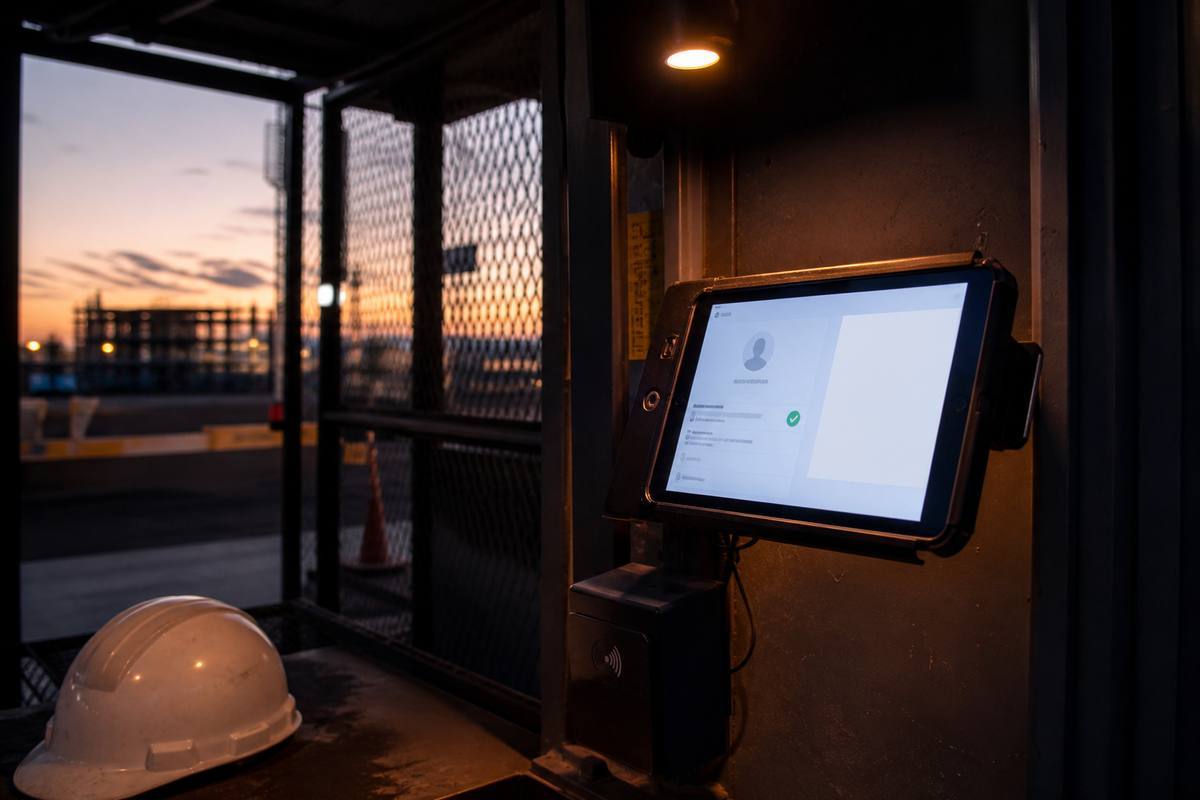
Face recognition attendance in Bhavya Office Hub starts with a simple enrollment step: a manager or supervisor captures a face photo for each employee once, alongside their basic profile — name, role, site assignment, and pay terms. From that point on, marking attendance is a matter of seconds. The employee stands in front of the scanning device, the system matches the face against the enrolled profile, and a timestamped attendance record is created automatically. No register to sign, no supervisor memory to rely on, no argument at month-end about who was actually present on a given day.
Why buddy punching disappears
Buddy punching — one worker marking attendance on behalf of an absent colleague — is one of the most common and hardest-to-detect forms of payroll leakage on sites with paper registers or simple sign-in sheets. A signature can be copied. A name can be called out on someone else's behalf. A face cannot be borrowed the same way. By tying the attendance event to a biometric match rather than a manual entry, face recognition attendance removes the easiest form of cheating from the system without requiring supervisors to police every entry personally.
A live checklist, not a monthly surprise
Because attendance is captured as it happens, managers and supervisors get a live "who has checked in today" checklist rather than a report that only makes sense weeks later. If three workers who are normally on-site by 9 a.m. have not appeared by 9:30, that gap is visible immediately — while there is still time to call, reassign work, or flag a problem, rather than discovering the shortfall when payroll is being calculated at the end of the month.
Where face recognition fits best
Face recognition attendance is strongest at controlled entry points: office doors, factory gates with a single main entrance, warehouse loading bays, or any location where a device can be positioned for arriving staff to scan comfortably. For very high-volume sites or outdoor project gates where a controlled scanning point is harder to maintain, QR badge check-in — covered next — often complements or replaces face scanning for day-to-day throughput, while face recognition remains available for higher-assurance moments such as payroll audits or spot verification.
QR badges for gates, checkpoints, and busy sites
Not every site can slow down for a face scan. QR badges give supervisors a fast, low-friction way to log presence anywhere work happens.
Every enrolled worker can be issued a QR badge — a printable or on-device code tied uniquely to their profile. At the gate, on a checkpoint, or at a temporary field office, a supervisor or gate attendant simply scans the badge with a phone or tablet camera, and the system logs the visit with a timestamp and location context. There is no need for network-heavy face-matching at every single checkpoint; the scan itself is the record.
Built for throughput
Large project sites, warehouses with shift changes, and events with many temporary workers all share the same operational pressure: dozens of people arriving within a short window. QR scanning is deliberately lightweight so that a gate attendant can process a queue quickly without becoming the bottleneck that a slow attendance process always eventually becomes. Badges can be reprinted or reissued if lost, and a lost badge does not compromise anyone else's record because each code is unique to one profile.
Checkpoints, not just gates
Beyond the main entrance, QR check-in supports internal checkpoints — a specific work zone, a security post, a floor, or a staged area of a large project. This is particularly valuable for security and facilities teams who need to prove not just that a guard was on the premises, but that a guard visited a specific post at a specific time during a shift. For construction and solar crews, checkpoint scanning can document movement between a base camp and an active work front without another paper logbook that gets left in a site office drawer.
Face recognition and QR, working together
Many organizations run both methods side by side: face recognition at a controlled office or factory entrance where a device can be fixed in place, and QR badges at outdoor gates, checkpoints, or sites where mobility matters more than a single scanning station. Because both methods feed the same attendance record, managers do not need to reconcile two separate systems — a single daily view shows who is present, by whichever method fit the situation.
Payroll PDF sheets your accountant and your workers both trust
Payroll built directly from attendance turns month-end from a reconstruction project into a short review-and-approve step.

Payroll in Bhavya Office Hub follows a simple sequence: choose a pay period, let the system pull working days directly from the attendance records already captured through face recognition and QR scans, review the result, apply any legitimate overrides — an approved half-day, a sanctioned overtime allowance, a documented adjustment — and generate a clean PDF salary sheet ready for payment and record-keeping. Because the starting point is real attendance rather than someone's memory of the month, the entire process moves faster and produces fewer arguments.
Working days without the guesswork
The single biggest source of payroll disputes on sites without digital attendance is disagreement over the number of days worked. Workers remember their own attendance differently than supervisors do, and both can be wrong when the only record is a memory or a hastily kept notebook. When working days are calculated from timestamped check-ins, the starting figure is no longer a matter of opinion — it is a record either side can review before the conversation about pay even begins.
Overrides for real exceptions, not silent edits
Real operations always have exceptions: a worker sent home early for a valid reason, an approved extra shift, a correction for a scanning device that briefly failed. Bhavya Office Hub allows managers to apply overrides deliberately, on top of the attendance-derived baseline — so exceptions are visible and intentional rather than silent edits buried inside a spreadsheet formula that nobody remembers writing.
One flow for labour and office staff
Field companies often run a hybrid workforce — daily-wage site labour alongside salaried office and supervisory staff — and historically have needed two different systems to handle them. Payroll sheets in the hub can represent both populations within the same operational rhythm, so month-end does not require switching between a labour muster process and a separate office payroll tool.
PDF sheets that stand on their own
The exported PDF salary sheet is designed to be a self-contained record: worker identity, period, working days, rate basis, and net payable, formatted clearly enough to hand to an accountant, a client auditor, or the worker themselves. That portability matters when payroll data needs to travel outside the app — to a bank for transfer, to a compliance file, or to a worker who wants a copy of their own payment history.
Cash ledger: give every rupee a paper trail
Field companies still move real cash — for materials, advances, and emergency spends. A ledger turns that cash into a record instead of a rumor.
The cash ledger is a dedicated, chronological record of money moving in and out of a site or organization: advances paid to workers, petty cash handed to a supervisor for local purchases, reimbursements, and any other cash movement that would otherwise live only in a memory or a torn notebook page. Each entry captures the amount, direction, purpose, and the person responsible, creating a timeline that can be reviewed by a manager, an owner, or an auditor without needing to track down whoever handled the transaction personally.
Why cash still matters even in a digital business
Even companies that prefer digital payment rails cannot fully avoid cash on the ground — a driver needs fuel money, a site needs a small local material purchase, a worker needs an advance before the next pay cycle. Pretending cash does not exist just pushes it into informal channels that are harder to track, not easier. The ledger accepts that reality and gives it structure instead.
From memory to timeline
When cash movements are only remembered, reconstructing "what happened to the money this month" becomes archaeology: chasing WhatsApp threads, asking supervisors to recall conversations from three weeks earlier, and hoping the story holds together. A structured ledger replaces that reconstruction with a timeline that already exists the moment it is needed — during a client review, an internal audit, or simply a manager's regular check on site spending.
Ledger discipline as a management habit
The ledger works best as a daily habit rather than a monthly cleanup task. Supervisors who log a cash entry the same day it happens keep the record accurate and current; supervisors who wait until month-end to "remember everything" reintroduce exactly the uncertainty the ledger was meant to remove. Because entries take moments to record, building that habit is a matter of routine, not extra administrative burden.
UPI receipt capture: proof attached to every digital payment
A typed number in a ledger is a claim. A number with a receipt attached is evidence.
When UPI receipt capture is enabled for an organization, ledger entries made through digital payments can have their payment proof attached directly to the record. Instead of a screenshot sitting in a phone's photo gallery — easy to lose, easy to delete by accident, hard to search — the receipt becomes part of the same auditable trail as the ledger entry itself.
Why receipts change the conversation
Disputes about payments almost always come down to proof. "I paid the vendor" is a claim; a UPI receipt tied to that exact ledger line is evidence a manager, owner, or auditor can check without relying entirely on trust. Attaching proof at the moment of entry, rather than trying to gather it later, is the difference between a system that is auditable by design and one that is auditable only if everyone remembers to keep their screenshots.
Built for the mixed cash-and-digital reality
Indian field operations rarely run on one payment method exclusively. A single week might include cash for a local purchase, a bank transfer for a larger vendor payment, and several UPI transactions for smaller, faster payments. UPI receipt capture is designed to fit naturally into that mix — strengthening the digital side of the ledger without forcing a company to abandon cash where cash is still the practical choice.
Supporting audits and partner reviews
When a client, investor, or partner asks for evidence of site spending, a ledger with attached receipts answers the question directly instead of triggering a scramble to locate old messages. For companies that work with EPC contractors, government-adjacent projects, or corporate clients with their own compliance expectations, that readiness can matter as much as the underlying accuracy of the numbers.
Site cost split: know what each project really costs
"Labour was expensive this month" is not a decision. "Site A cost more per unit of output than Site B" is a decision a manager can act on.

Site cost split takes attendance, payroll, and ledger data and allocates it across the sites, projects, or units where the underlying work actually happened. Instead of a single company-wide labour figure that hides which project is efficient and which is quietly overspending, managers get a per-site or per-project breakdown that reflects where people worked and where cash was spent.
Better questions, not just bigger reports
The value of cost split is not the report itself — it is the better questions the report makes possible. Was overtime on Site B genuinely justified by the workfront, or did it drift upward without a matching increase in output? Is Site A's crew size still right for the current phase of work, or was it sized for an earlier, busier stage of the project? These are exactly the questions owners and operations managers need to ask regularly, and they are very hard to ask when the only available number is a single blended total.
Protecting margin without attacking people
Cost visibility, done well, is not about catching individual workers doing something wrong. It is about giving managers the information to adjust staffing, scheduling, and allocation decisions before small inefficiencies compound into a real margin problem. A clear cost split lets a manager have a fact-based conversation with a site supervisor about resourcing, rather than a vague, morale-damaging conversation about "costs being too high" with no specifics attached.
Useful for contractors and multi-location companies alike
Construction and solar contractors juggling several active projects are an obvious fit, but the same logic applies to any company running multiple branches, warehouses, or client accounts. Anywhere labour and cash are shared across more than one operational unit, cost split turns a single opaque total into a set of comparable, actionable figures.
Leave logs: absence that never disappears into a phone call
Leave that only exists as a verbal "okay, take the day" becomes a payroll surprise weeks later. A log fixes that permanently.
Leave logs record who took leave, when, for how long, and under what approval — attached to the same employee profile used for attendance and payroll. Rather than a supervisor granting a day off in a hallway conversation that nobody writes down, the leave becomes a structured record the moment it is approved, visible to anyone with the right access when payroll or attendance reports are prepared later.
Why verbal leave causes month-end friction
A worker who took an approved day off and a worker who simply did not show up look identical in a system with no leave record — both are just "absent." When payroll is calculated, that ambiguity becomes a dispute: the worker insists the absence was approved, the supervisor who granted it may not even be asked, and the manager preparing payroll has no way to tell the two situations apart without extra phone calls. A leave log removes that ambiguity by making approved absence a distinct, recorded category from the start.
Continuity when people change roles
Supervisors get reassigned between sites. Managers go on leave themselves. When leave history lives only in one person's memory, that history is lost the moment that person is unavailable. A shared leave log preserves continuity — a new supervisor taking over a site can see exactly what leave has already been granted, without having to reconstruct the recent past from scratch or take a worker's word for it.
A quieter form of trust between workers and management
Workers benefit from leave logs as much as managers do. A recorded leave approval protects a worker from being wrongly docked for an absence that was actually sanctioned, and it gives them a reference point if a dispute ever arises. Trust improves on both sides when neither party has to rely purely on memory.
Contracts: keep terms next to the people and sites they govern
A contract that only lives in an email attachment becomes an argument the moment someone needs it in a hurry.
The contracts module keeps agreement terms — rate structures, project scope, duration, and any special conditions — attached to the relevant employee, supervisor, or site record inside the same hub used for daily attendance and payroll operations. Instead of digging through an inbox to find the one PDF that specifies a particular rate or clause, managers can reference contract terms directly alongside the operational data those terms are meant to govern.
Where contract confusion actually happens
Disputes over contract terms rarely happen on day one, when everyone remembers what was agreed. They happen months later, when a rate needs to be confirmed, a project scope needs to be checked against what was actually delivered, or a new manager takes over a site and needs to understand existing commitments quickly. Keeping contracts centralized and attached to the records they relate to means that "let me find that email" is no longer the first step of resolving a question.
Especially useful during handoffs
Project handoffs — a supervisor change mid-season, a new manager assigned to an existing site, a client relationship transferred to a different account owner — are exactly when contract clarity matters most and is hardest to reconstruct informally. Having contracts live in the same system as attendance, payroll, and cost data gives the incoming person a complete operational picture instead of a partial one built only from what the outgoing person remembers to mention.
A record that protects both sides
Clear, accessible contract terms protect the company from scope disputes and protect workers and supervisors from having agreed terms forgotten or renegotiated informally. Neither party benefits from ambiguity, and a shared, referenceable record removes most of the room for it.
Supervisor accounts: real authority, matched to real roles
Not everyone should edit salary sheets. Not every manager needs to stand at the gate. Roles should match how work actually happens.
Bhavya Office Hub structures access around the roles that already exist on the ground. Managers typically own payroll approval, contract terms, and organization-wide settings. Supervisors run day-to-day site control — marking attendance, logging ledger entries, tracking leave requests, and managing the immediate operational reality of their site — without needing, or being given, access to sensitive company-wide financial settings that are not their responsibility.
Why role separation reduces risk, not just bureaucracy
Giving every user full access might feel simpler on day one, but it quietly creates two problems: sensitive actions like payroll approval become exposed to more people than necessary, and any single point of confusion or error is harder to trace back to a specific responsible person. Role-aware supervisor accounts keep authority proportional to responsibility — supervisors can act quickly on what they own, while managers retain oversight of what carries financial or contractual weight.
Empowering supervisors instead of sidelining them
Role separation is not about restricting supervisors for its own sake. A supervisor account is built to give site leadership real, useful tools — attendance marking, ledger entry, leave approval at their level — rather than forcing every action through a manager who is not physically present. The goal is a supervisor who can run their site confidently through the app, not one who has to text a manager for permission to do routine daily work.
Scaling without losing control
As a company adds sites, adding a new supervisor account is far simpler than renegotiating who has access to a shared spreadsheet or a single shared login. Each supervisor operates within their own scope, managers retain a consolidated view across all sites, and growth does not require inventing a new informal access process every time the company opens a new location.
Gate kiosk tools: built for the first five minutes of the shift
The busiest sixty seconds of the day at a gate are also the moment attendance software most often fails. Kiosk mode is designed for exactly that window.
When kiosk mode is enabled for an organization, a tablet or dedicated device at a gate or entry point can run a focused, simplified flow that prioritizes scanning and logging over general admin navigation. Instead of a gate attendant hunting through menus meant for office use, the device presents exactly what is needed at that moment: scan a face or a QR badge, confirm, move to the next arrival.
Designed for a device, not a desk
Full administrative interfaces are built for managers reviewing reports at a desk with time to think. Gate kiosk tools are built for a different context entirely — a device mounted near an entrance, operated by staff who need speed and simplicity far more than they need configuration options. Stripping the interface down to its essential actions is a deliberate design choice, not a limitation.
Reducing queue time at peak arrival
On sites where dozens of workers arrive within a short window, every extra tap or confusing screen multiplies into real queue time and frustration. A kiosk-ready flow keeps the scanning loop tight, which matters most exactly when it is needed most — the rush at the start of a shift, not the quiet stretch mid-morning when there is nobody waiting at the gate anyway.
One record, whichever device did the scanning
Whether attendance is captured through a kiosk device at the gate, a supervisor's phone doing a QR checkpoint scan, or an office-based face recognition station, every event lands in the same underlying attendance record. Gate teams get a tool built for their exact moment of use, while managers still get one unified picture of presence across every entry point and every method.
One hub, not five tools that never agree
Each capability above is useful on its own. The real value appears when they share one record instead of living in five disconnected places.
Attendance drives payroll. Payroll and ledger entries feed cost split. Leave logs and contracts sit next to the people and sites they govern instead of in a separate filing system. Supervisor accounts and gate kiosk tools are simply the entry points through which all of that data gets captured accurately in the first place. None of these modules were designed to be sold separately and stitched together later — they were designed as one operational record from the start.
That connectedness is also what makes Bhavya Office Hub practical to adopt gradually rather than all at once. A company can start with attendance and payroll, add ledger and cost-split discipline once the daily habit is established, and layer in leave logs, contracts, and kiosk mode as the team grows comfortable — without re-entering data or maintaining a second parallel system during the transition. The result, for companies that manage people and sites for a living, is fewer disputes, faster month-end closes, and a single place to answer almost any question an owner, client, or auditor might ask about a given period.
See these features running on your own sites
Every capability on this page — face recognition attendance, QR badges, payroll PDF sheets, the cash ledger, UPI receipt capture, site cost split, leave logs, contracts, supervisor accounts, and gate kiosk tools — works together inside one organization account. Tell us about your company and we will help you get started.