One hub for every kind of company that manages people on the ground
Bhavya Office Hub was not built for a single trade. It was built for the moment that happens in every growing company — the moment attendance, payroll, cash, and site cost stop fitting in a notebook, a shared phone, or a WhatsApp group.
That moment looks different depending on what you run. For an office with field sales staff, it is a rep who marks himself present from a coffee shop three states away. For a factory, it is a shift supervisor who cannot say, without walking the floor twice, exactly how many machine operators showed up today. For a warehouse, it is a picker roster that changes every few hours and a payroll sheet that never quite matches it. For a construction site, it is a labour contractor's headcount claim that nobody can verify against yesterday's gate log. For a solar EPC or operations-and-maintenance team, it is a rooftop crew scattered across a district with no reliable way to confirm who was actually on which roof. For a security or facilities company, it is guards rotating across a dozen client premises with shift logs kept in a dozen different notebooks. For a logistics operator, it is drivers and loaders whose hours vary by route and by day. For a multi-site contractor, it is five project managers each running their own private spreadsheet, none of which agree with each other by month-end.
The pain is different in the details but identical in shape: attendance is soft, payroll is a manual reconstruction, cash movement is undocumented, and cost by site is a guess. Bhavya Office Hub replaces that soft, scattered reality with one operational record — face recognition and QR attendance, payroll built from working days, a cash ledger with optional UPI receipt capture, site cost split, leave logs, contracts, and role-aware access for managers and supervisors. The pages below walk through eight kinds of operations we see most often, the pains specific to each, and how the platform's existing modules map onto them. If your company does not match any single category exactly, that is normal — most real businesses are a blend, and the hub is designed to flex across that blend rather than force you into one rigid workflow.

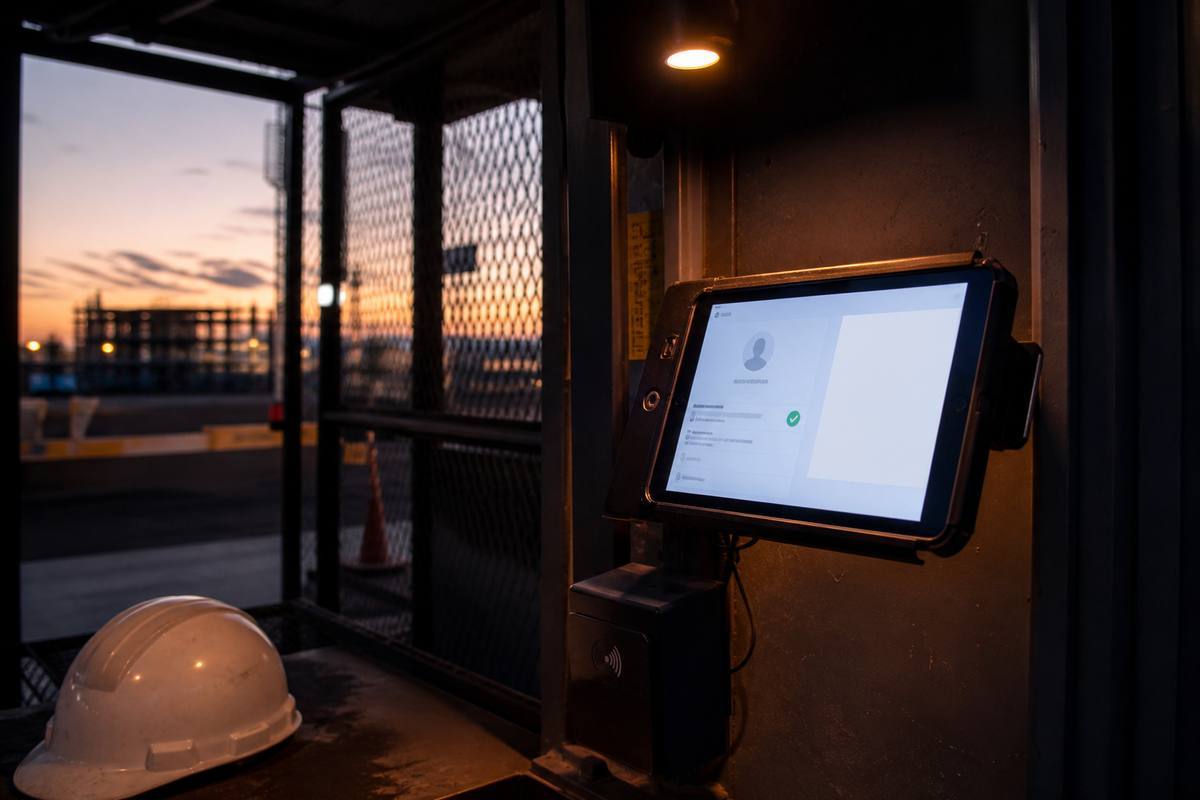

Offices with field staff
Sales teams, service engineers, collection agents, and relationship managers who spend most of their day away from a desk.
Specific pains.
- Desk-bound attendance tools assume everyone swipes in at one building, but half your team never sees the office on a given day.
- Managers have no reliable way to confirm a field visit happened versus being marked present by default.
- Reimbursement and petty cash for travel, fuel, and client entertainment gets buried in chat threads and forgotten receipts.
- Payroll for a mixed office-and-field team means juggling two different tracking habits every single month.
How Bhavya Office Hub fits. Desk employees use face recognition attendance at the office door; field staff use QR check-in tied to a client site, checkpoint, or service call, so presence is logged at the moment work happens, not reconstructed afterward from memory. Managers get a live daily checklist showing who has checked in from where, which surfaces a missed visit or an absent rep the same morning instead of at month-end. The cash ledger — with optional UPI receipt capture when enabled — gives field expense claims a real audit trail instead of a folder of screenshots. Payroll then runs from the same working-day data for every employee, office or field, closing one of the more persistent double-standards in mixed teams.
Specific pains.
- Shift-based headcounts drift between the register at the gate and the number the floor supervisor actually reports upward.
- Overtime claims are hard to verify without a timestamped in-and-out record for every worker on every shift.
- Contract labour supplied by a third-party vendor is billed by headcount, and disputes over that headcount are common and expensive.
- Machine-operator absence is discovered too late to arrange a substitute, costing output for the shift.
How Bhavya Office Hub fits. Face recognition attendance at the shift-change gate creates a timestamped, hard-to-fake record for every worker — permanent staff and contract labour alike — which resolves vendor billing disputes with actual data instead of two competing claims. The daily checklist flags who has not checked in while there is still time to call a backup operator, rather than discovering the gap when the line stalls. Payroll draws directly from that attendance record with overtime and shift patterns reflected in working days, and site cost split lets a multi-line or multi-shed factory see labour cost by production area rather than one blended number for the whole plant.
Factories & production plants
Multi-shift manufacturing floors mixing permanent staff, contract labour, and shift supervisors.
Warehouses & distribution centres
Pickers, packers, loaders, and dock staff on rosters that can change several times within one day.
Specific pains.
- Peak-season and festival-season surge hiring makes attendance registers balloon overnight, and paper simply cannot keep up.
- Dock and loading-bay staff often work split shifts that a single daily attendance mark cannot represent accurately.
- Day-rate casual labour is paid in cash on the spot, but that payment rarely gets logged anywhere durable.
- Warehouse managers reporting to a regional office need a same-day answer on headcount and cost, not a week-end summary.
How Bhavya Office Hub fits. QR badge check-in handles high-volume gate throughput during peak periods far better than a manual register, and new casual workers can be enrolled quickly without slowing down the morning rush. The cash ledger captures day-rate payments as they happen, so cash paid on the floor is not cash that disappears from the record. Because the platform is cloud-hosted, a regional operations manager can review attendance and cost from any device without waiting for a warehouse-level spreadsheet to be emailed up the chain, and site cost split keeps each distribution centre's labour spend visible on its own.
Specific pains.
- Labour is frequently supplied through contractors and sub-contractors, and headcount billing disputes are one of the most common sources of margin loss on a project.
- Sites are temporary and change location every few months, so any tool that depends on fixed infrastructure breaks down quickly.
- Material advances and small cash purchases at the site office rarely get reconciled against actual spend.
- Client-facing progress reports need a defensible labour and cost trail, not a verbal summary from the site engineer.
How Bhavya Office Hub fits. Because attendance and payroll travel with your organisation rather than with a building, a new project site can be stood up quickly with QR checkpoint logging at the main gate and at internal work zones, giving you movement records across a staged site without another paper logbook. Contractor headcount disputes shrink dramatically once both sides can be shown a timestamped attendance log instead of two conflicting tally sheets. The ledger tracks material advances and petty cash against the same site, and site cost split turns "labour was expensive this month" into "this tower absorbed more labour hours than that one," which is a decision a project manager can actually act on.
Construction & civil contractors
Project-based crews, sub-contracted labour, and site offices that move from job to job.
Solar EPC & operations-and-maintenance teams
Rooftop and ground-mount installation crews, plus O&M teams servicing plants spread across a wide service area.

Specific pains.
- Crews mobilise to a new rooftop or ground-mount site every few days, so attendance infrastructure needs to be portable, not fixed at one address.
- Technicians frequently travel long distances between service calls for O&M, and "which technician attended which plant on which date" becomes hard to prove without a system.
- Client billing for O&M contracts often depends on visit and response-time records that a WhatsApp photo cannot substantiate.
- Installation payroll usually mixes day-rate labour with skilled electricians on different pay structures, which spreadsheets handle poorly at scale.
How Bhavya Office Hub fits. QR checkpoint check-in works well for rooftop and ground-mount installation because a badge scan at arrival does not depend on fixed hardware at the site. For O&M, a technician's checkpoint scan at each plant builds a visit history you can reference when a client questions response time or service frequency. Payroll handles the mixed pay structure of day-rate installation labour and salaried technical staff within the same working-day framework, and site cost split lets an EPC company see cost per installation versus cost per O&M contract rather than one combined labour number that hides which side of the business is actually profitable.
Specific pains.
- Guards rotate across many client premises on shifting schedules, and a missed shift discovered late is a contract liability, not just an internal inconvenience.
- Facilities staff — housekeeping, maintenance, front desk — are often billed to the client per headcount per shift, so attendance accuracy directly affects invoicing.
- Post-level supervision is thin; a single area supervisor may be responsible for guards or staff across several buildings.
- Clients periodically audit staffing levels, and a paper register is a weak answer to that audit.
How Bhavya Office Hub fits. Checkpoint-based QR logging lets a guard or facilities worker check in at each client premise, creating a per-site, per-shift record that supports both internal payroll and client-facing invoicing from the same data. Supervisor accounts let one area supervisor oversee attendance across multiple buildings without needing to physically visit each post every hour, and the daily checklist surfaces a missed shift the moment it becomes visible rather than after a client complaint arrives. When a client asks for a staffing audit, the attendance and payroll trail is already there instead of needing to be assembled overnight.
Security, facilities & guarding companies
Multi-premise guarding and facilities management contracts with rotating shifts and thin on-site supervision.
Logistics, transport & last-mile operations
Drivers, loaders, and hub staff whose working hours vary by route, by shift, and by day.
Specific pains.
- Driver and loader hours vary daily based on delivery volume, and flat monthly attendance assumptions do not reflect real workload or real pay owed.
- Hub-level cash handling for fuel, tolls, and small repairs is common and rarely well documented.
- Multiple hubs reporting to one regional office each keep their own informal tracking method, so consolidated numbers are unreliable.
- High staff turnover at loader and helper roles means enrollment and de-enrollment needs to be quick, not a multi-day process.
How Bhavya Office Hub fits. Fast enrollment with a face photo or a printed QR badge means high-turnover loader and helper roles can be brought onto the record the same day they start, rather than working off-book for their first weeks. The ledger tracks hub-level cash for fuel and incidental repairs against the same operational record as attendance, and because every hub uses the same hub-wide platform, a regional manager can compare attendance and cost across locations directly instead of merging five different spreadsheet formats by hand at month-end.
Specific pains.
- Each project manager, branch head, or site office effectively runs its own private system, and none of them agree with the others by the time reports reach ownership.
- Consolidating payroll or cost across five, ten, or twenty locations becomes a multi-day manual exercise every single cycle.
- Owners and regional heads cannot get a same-day answer to "how is Site B doing versus Site D" without calling around.
- Handovers — when a project manager or supervisor changes location — regularly lose institutional knowledge that lived only in that person's private notes.
How Bhavya Office Hub fits. Every site or branch operates inside the same organisation record, so attendance, payroll, and cash data are structurally comparable from day one — no format reconciliation required before ownership can look at the numbers. Site cost split gives a consistent, apples-to-apples view across every location a company runs, and because contracts, leave logs, and attendance history stay attached to the organisation rather than to one person's laptop, a handover between supervisors or project managers no longer means starting from a blank page. Role-aware access lets a regional head see everything, while a local supervisor sees only what is relevant to their site — reducing both information overload and the risk of one person becoming an unreplaceable bottleneck.
Multi-site contractors & branch or franchise groups
Companies running several branches, projects, or franchise locations under one ownership structure.
The pattern behind every industry above
The details change from a rooftop to a loading dock, but the underlying gap and the underlying fix repeat.
| Industry | Where the record usually breaks | What Bhavya Office Hub anchors instead |
|---|---|---|
| Offices with field staff | Field presence assumed rather than confirmed | QR check-in at the visit point plus office face attendance |
| Factories & plants | Vendor headcount claims vs. floor reality | Timestamped shift-gate face attendance for every worker |
| Warehouses & DCs | Surge hiring outruns paper registers | Fast QR enrollment and high-volume gate check-in |
| Construction & civil | Sub-contractor billing disputes over headcount | Checkpoint logging and site cost split per project |
| Solar EPC & O&M | No proof of which crew visited which site | Portable QR checkpoints across rooftops and plants |
| Security & facilities | Missed shifts discovered only after client complaint | Per-premise checkpoint logs and supervisor oversight |
| Logistics & last-mile | Variable hours poorly captured by flat assumptions | Daily attendance tied directly to payroll working days |
| Multi-site contractors | Every location keeps its own private spreadsheet | One organisation record, comparable across every site |
Notice that none of the fixes above require a different product for each industry. Attendance, payroll, ledger, cost split, leave, contracts, and role-aware access are the same seven building blocks in every row of that table — what changes is which combination matters most for your operation on day one. That is a deliberate design choice: rather than sell eight vertical products, Bhavya Office Hub keeps one flexible hub and lets each company configure its own priority order.
How rollout usually differs by industry
The modules are shared, but the order you turn them on should follow your operation's real pressure point.
Start with attendance where disputes already hurt most
If you run contract labour on a factory floor or a construction site, start with face recognition or checkpoint attendance first, because that is where vendor and headcount disputes cost real money today. If you run an office with field staff, start with QR check-in at the visit point, because that is where "was the visit real" questions are already being asked informally.
Bring payroll in once one full cycle of attendance is clean
Do not switch payroll calculation over on day one. Run attendance for one full pay period first, let supervisors get comfortable with the daily checklist, and only then generate salary sheets from that period's working days. This staged approach avoids a messy first payroll run that undermines confidence in the whole system.
Add the ledger where cash already moves informally
Warehouses, logistics hubs, and construction site offices tend to move the most undocumented cash, so the ledger — with UPI receipt capture where enabled — usually earns its place second in those settings. Offices and security contracts, by contrast, may not need heavy ledger use until expense claims specifically become a problem.
Turn on cost split once you have more than one site to compare
A single-location business gets less immediate value from site cost split. The moment you operate two or more sites, branches, or projects, this becomes one of the most valuable views in the entire platform, because it turns "labour felt expensive" into a specific, site-level number leadership can actually discuss.
Layer in leave, contracts, and kiosk mode last
These are high-value but lower-urgency modules for most operations. Leave logs matter most once attendance is already trustworthy. Contract records matter most once you are running several concurrent projects or client agreements. Kiosk mode matters most once a specific gate or entry point has high enough traffic that a dedicated device — instead of a general admin login — genuinely speeds things up.
Questions we hear from specific industries
We are a solar EPC company. Do we need construction-specific software instead?
No. Solar installation and O&M share the same underlying needs as construction and civil contracting — mobile crews, project-based sites, and contractor billing questions — so the same attendance, payroll, and cost-split modules apply directly. Many solar EPC teams run installation and O&M as two cost centres inside one organisation, which site cost split supports natively.
Our guards work for multiple client sites under one contract. Can the platform separate that?
Yes. Each client premise can be treated as its own site or checkpoint, so attendance and cost roll up both by guard and by client contract, which supports the kind of per-client invoicing that security and facilities companies usually need.
We are a warehouse with heavy seasonal hiring. Will enrollment slow us down during peak season?
Enrollment is designed to be quick — a face photo or a printed QR badge is enough to bring a new worker onto the record — so surge hiring for a festival season or peak shipping period does not require weeks of setup lead time.
We run five branches with five different informal systems today. Where do we start?
Start with one branch as a clean pilot: enroll that branch's staff, run attendance for a full pay cycle, and close one payroll run before expanding. Once that pilot proves the workflow, adding the remaining branches into the same organisation is a repeatable process rather than five separate experiments.
Our logistics hub has very high staff turnover. Is that a problem?
High turnover is exactly the situation the platform is built to absorb — fast enrollment and straightforward de-activation mean your attendance and payroll record stays accurate even when the roster changes weekly, rather than degrading as staff turn over.
Do you support industries not listed on this page?
Yes. The eight industries above are the patterns we see most often, not a limit on who can use the platform. If your company manages attendance, payroll, cash, or gate access for people on the ground, it is very likely a good fit — email energysynctechnologies@gmail.com with a short description of your operation and we will tell you plainly whether it fits.
Whichever industry above matches your operation, the identity behind it stays the same: one organisation record, one attendance system, one payroll flow, and one cash ledger — configured to your sites rather than rebuilt from scratch for each new location you open.
Recognisable and consistent across every site you run
Whether your team is standing at a factory gate, a rooftop, a warehouse dock, or a client's front desk, it is the same Bhavya Office Hub behind them.
See how Bhavya Office Hub fits your specific operation
Tell us what you run — offices, factories, warehouses, construction, solar, security, logistics, or multiple sites — and we will walk you through the exact modules that matter for your setup first.