Straight answers before you request access
Bhavya Office Hub is workforce and site operations software for companies that manage people on the ground — offices, factories, warehouses, construction, solar, security, facilities, logistics, and multi-site teams. This page answers the questions owners, HR leads, accountants, and operations managers ask most often before requesting access.
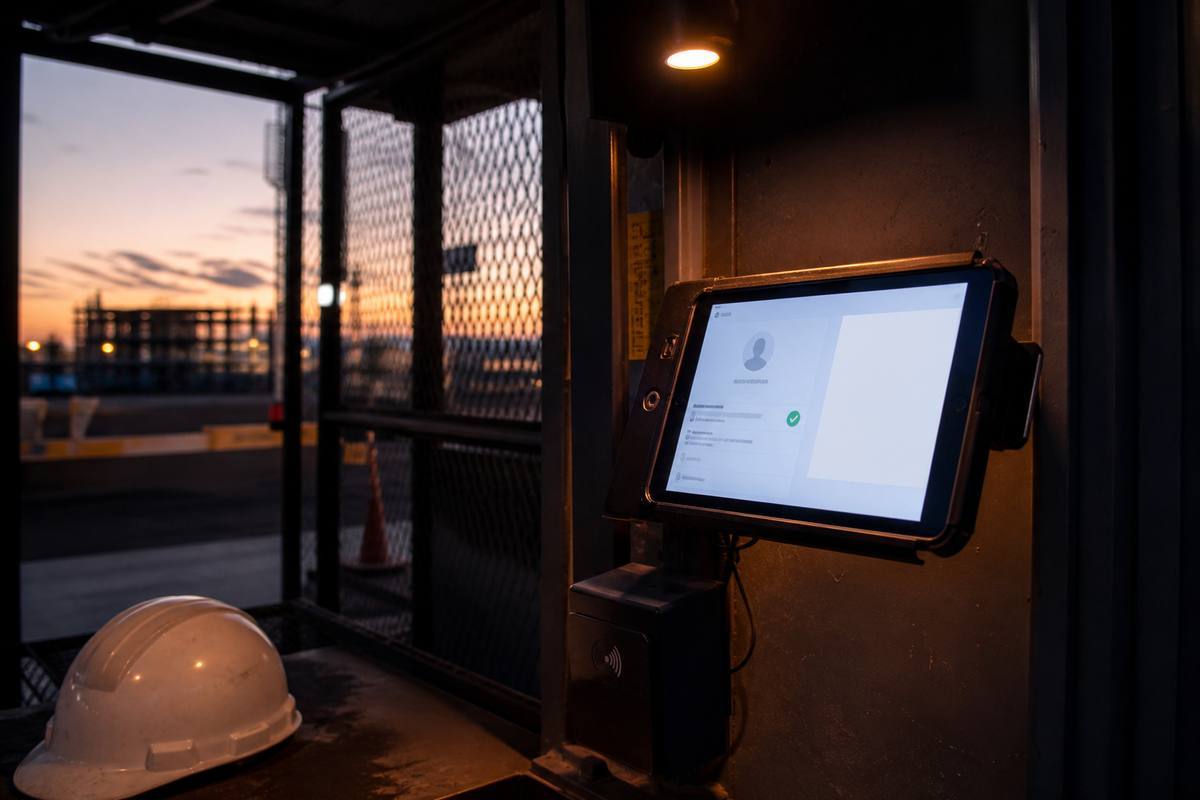
We built this FAQ because evaluating workforce software is different from evaluating a normal SaaS tool. It is not only about screens and dashboards. It is about whether a gate guard can scan a badge in three seconds during a busy morning rush, whether a supervisor with a low-end phone can mark attendance on a site with patchy signal, and whether the payroll numbers a manager approves at month-end actually match what happened on the ground. Those are the questions that decide whether software gets adopted or quietly abandoned after two weeks.
Every answer below is written for a real decision-maker, not for a search engine. If you are comparing Bhavya Office Hub against a spreadsheet-and-WhatsApp routine, against a generic HR platform built only for desk employees, or against another field-operations tool, use these answers to understand exactly what is included, how it behaves in daily use, and where the boundaries of the product are. We would rather tell you clearly what the platform does not do than let you discover a gap after onboarding.
The questions are grouped by topic — platform and industries, attendance and face recognition, payroll and salary sheets, the cash ledger and UPI receipts, sites, contracts and leave, roles and security, plans and billing, and finally getting started and support. If your question is not covered, the request access page includes a message field where you can ask directly, and every message reaches a real person at energysynctechnologies@gmail.com.
Field software lives or dies on daily details
Most workforce tools are designed for office HR. Bhavya Office Hub is designed for the gate, the shop floor, and the site trailer as much as the back office.

A lot of the questions below trace back to one theme: trust in the record. When attendance, payroll, and cash entries are captured consistently, disagreements shrink because everyone is looking at the same facts. When they are scattered across paper registers, private notebooks, and chat screenshots, every conversation becomes a negotiation about whose memory is more accurate.
We also get a fair number of questions about scope — what counts as a “site,” whether the platform is locked to construction or solar, and whether an office-only company with no field crew would even benefit. The short version: if your company has more than a handful of people whose presence, pay, or expenses need a clean shared record, the product is relevant. The examples throughout this FAQ intentionally span offices, factories, warehouses, security teams, and project sites so you can see how the same features apply to very different operating environments.
Finally, several questions concern practical rollout mechanics — data migration, onboarding time, mid-month employee changes, and what support looks like once you are live. Those are the questions that determine whether the first month goes smoothly, so we have answered them in as much detail as the general questions about features themselves.
The complete FAQ
Organized by topic so you can jump to what matters for your evaluation. Every answer reflects how the product actually behaves, not marketing language.
Platform & industries
What exactly is Bhavya Office Hub?
Bhavya Office Hub is a cloud workforce and site operations platform built for any company that manages people on the ground. It combines face recognition attendance, QR badge check-in, payroll and salary sheet generation, a cash ledger with optional UPI receipt capture, site cost split, leave logs, contracts, supervisor accounts, and optional gate kiosk tools inside a single organization workspace instead of five disconnected tools that never fully agree with each other.
Is this only for construction and solar companies?
No. Construction and solar are common examples because project sites make the pain of scattered records obvious, but the platform is equally suited to factories, warehouses, retail back-offices, security agencies, facility management firms, logistics operators, and any multi-location business. If your team clocks in, gets paid, and spends cash on operations, the workflows apply.
Can a purely office-based company benefit from this?
Yes, particularly companies with more than one office, seasonal hiring, or staff who work partly from a branch and partly from client sites. Face recognition attendance at a reception desk, clean payroll from working days, and a shared cash ledger for petty expenses are useful even without a construction-style project site.
How is this different from a generic HR or payroll SaaS product?
Generic HR suites are usually built around desk employees with fixed logins and predictable office hours. Bhavya Office Hub is built around field realities — gate-side scanning, mixed cash and digital payments, multiple physical sites per organization, and supervisor roles that mirror how site teams are actually structured, rather than a corporate org chart.
Do you support multiple sites or branches under one company account?
Yes. An organization can operate multiple sites or units, and site-aware settings support cost split and reporting across them. This is designed for companies running several active locations at once rather than a single head office.
Attendance & face recognition
How does face recognition attendance actually work?
An authorized manager or supervisor enrolls each employee with a face photo during setup. On subsequent days, the employee is scanned through the built-in face recognition tool, which matches the live capture against the enrolled photo to mark attendance. This reduces buddy punching and removes the guesswork that happens when a supervisor tries to mark presence from memory at the end of a long shift.
What if the scanner fails to recognize someone — lighting, a mask, or a new beard?
Recognition accuracy depends on reasonable lighting and a clear enrollment photo, and real-world conditions like masks, strong backlight, or significant appearance changes can occasionally require a re-scan or a fallback entry by an authorized manager or supervisor. QR badge check-in is available as a practical backup at busy or difficult-lighting gates so a single failed scan never blocks a shift from starting.
Can we use QR codes instead of, or alongside, face recognition?
Yes. QR badges can be generated for site attendance and checkpoint visits, and many organizations run both — face recognition at a controlled entrance such as an office door, and QR scanning at high-volume gates where speed matters more than biometric certainty.
Can attendance be marked from multiple devices and multiple sites at the same time?
Yes. Because the platform is cloud-hosted, authorized devices at different gates or offices can mark attendance concurrently, and the records consolidate into the same organization view rather than living on one local machine.
Do you support checkpoints beyond the main gate, like internal zones or security posts?
Yes. QR-based checkpoint logging can be used for internal zones, staged project areas, or security posts in addition to the main gate, which helps prove movement across a site without maintaining a separate paper logbook for each checkpoint.
Is there a “today’s attendance” view managers can check quickly?
Yes. A daily checklist gives managers and supervisors a live view of who has checked in, so gaps are visible early in the day — while there is still time to follow up — instead of surfacing only after wages have already been calculated.
Payroll & salary sheets
How does payroll get calculated from attendance?
You select a pay period, and the platform derives working days from the attendance records already captured for that period. Managers can review the result, apply overrides where a documented exception is valid, and then generate salary sheets for payment.
Can we override a specific day, for example approved leave that should not count as a deduction?
Yes. Authorized managers can apply overrides on top of attendance-derived working days for documented exceptions such as approved paid leave, so the final payroll reflects real policy decisions rather than a rigid automatic calculation with no room for judgment.
Can we download salary sheets as PDF for payment and records?
Yes. Once a payroll period is reviewed, salary sheets can be downloaded as PDF documents for payment processing and for keeping a clean paper or digital trail alongside your accounting records.
Does payroll work the same way for office staff and field labour in the same organization?
Yes. Both groups can be managed in the same operational rhythm — enrolled the same way, tracked with the same attendance tools, and included in the same payroll period — so month-end does not require reconciling three separate systems for different employee types.
Cash ledger & UPI receipts
How does the cash ledger work?
The ledger records cash movements in and out with descriptions, amounts, and dates, giving you a chronological record of site spending instead of a pile of chat screenshots that eventually gets deleted or forgotten. It is designed for the mixed cash-and-digital reality of day-to-day field operations in India.
What is UPI receipt capture and how does it help?
When enabled for your organization, UPI receipt capture helps attach payment proof to ledger entries so that digital payments are backed by evidence rather than a typed amount alone. This strengthens audits, partner reviews, and manager oversight of site spending.
Is UPI OCR receipt capture available for every organization automatically?
It is a feature addon that follows your organization’s settings rather than being switched on universally by default. If you want it enabled, mention it when requesting access or ask your account contact once your organization is set up.
Can the ledger be reconciled against payroll and site costs at month-end?
Yes. Because ledger entries, attendance, and payroll all live in the same organization workspace, month-end reconciliation draws on the same underlying records instead of requiring managers to cross-reference separate spreadsheets by hand.
Sites, contracts & leave
How does site cost split work across multiple projects?
Site and unit-aware settings let you allocate labour and operating costs across the locations where they actually occurred, which turns a vague statement like “labour was expensive this month” into a specific, actionable comparison between sites.
Can we compare cost or headcount trends between two sites directly?
Yes, in the sense that site-aware attendance, payroll, and cost data are structured so managers can view and compare figures across locations rather than having each site’s numbers trapped in a separate, disconnected file.
Do you support leave logs and different leave types?
Yes. Leave can be logged against an employee’s record so absence has a documented trail instead of existing only as a phone call that someone has to remember weeks later when payroll is prepared.
Can contracts be stored and tracked inside the platform?
Yes. Contracts relevant to ongoing work can be kept organized inside the same hub as attendance and cost data, which is particularly useful during project handoffs or when a key supervisor changes sites mid-project and needs quick context.
Roles, access & security
What roles exist — manager, supervisor, and gate staff?
Organizations can structure access around real authority: managers typically own payroll, ledger review, and organization settings, while supervisors run day-to-day site control such as attendance oversight and local coordination. This separation keeps sensitive actions restricted without slowing down the people who need to move fast at the gate.
Can supervisors be restricted from seeing payroll numbers?
Role-aware access is designed so that not every account automatically sees salary figures. Managers retain ownership of payroll and sensitive settings while supervisor accounts focus on the operational tasks appropriate to their role.
Is there a kiosk mode for gate tablets?
Yes, when enabled for your organization. Kiosk mode presents a focused, scanning-first workflow suited to a tablet or dedicated device at an entry point, rather than exposing full admin navigation to whoever is standing at the gate during a busy arrival window.
Is our company’s data isolated from other companies using the platform?
Yes. Organization data is isolated at the database level so that one company’s attendance, payroll, and ledger records are not accessible to another company’s users. Authentication and access control are structured around that organization boundary.
How is the platform secured more generally?
Bhavya Office Hub runs on a modern cloud stack with authentication, organization isolation in the database, and hosting security headers, and sensitive admin controls are separated from everyday client operations. We continue hardening the platform around authentication, access control, and payment-activation logic, and we recommend companies also follow good internal hygiene — strong passwords, limited admin accounts, and clear internal rules for who may approve payroll and cash entries.
Plans, billing & data
What subscription plans are available?
Plans are available in monthly, quarterly, half-year, and annual periods, so companies can match billing to their own pay cycles and operating rhythm rather than being forced into a single fixed term.
How is pricing determined?
Exact commercial terms — including how pricing scales with your team size and needs — are shown inside the application for your specific organization once an account is set up. Because operational scope varies widely between a single office and a multi-site contractor, we prefer to confirm details directly rather than publish a one-size figure that would be misleading for most companies.
Can we change plans later, upgrading or downgrading the billing period?
Subscription periods are managed for your organization inside the app, and changes to billing period are handled as part of that ongoing account relationship. Reach out with your organization details if you need to adjust your current term.
What happens if our subscription lapses?
Access follows the active subscription period managed for your organization. If a subscription lapses, continued access depends on renewal; your underlying records are not the same thing as active access, and you should contact us promptly if you need continuity across a renewal gap.
Can we add or remove employees anytime, or only at renewal?
Enrolling and removing employees is an operational action inside your organization workspace and is not tied to a rigid renewal calendar. Billing specifics tied to headcount, if applicable to your plan, are shown inside the app for your organization.
Do you offer a free trial before we commit to a paid plan?
Most companies start with a short, focused pilot on one site and one payroll cycle so both sides can confirm fit before committing to a longer subscription period. Ask about pilot arrangements directly when you request access, since the right setup depends on your team size and how many sites you plan to run from day one.
Do subscription prices vary by number of employees or number of sites?
Commercial terms are confirmed for your specific organization once your account is set up, because the right structure depends on factors like headcount, number of active sites, and which optional features — such as UPI receipt capture or kiosk mode — you intend to use. Exact figures are visible inside the application rather than published as a single public number.
Getting started & support
How long does onboarding take for a new company?
Most companies start with a focused pilot rather than a full rollout on day one: set up the organization, enroll a first group of employees, run attendance on one site, and close one clean payroll cycle before expanding to ledger discipline and cost split across more locations. That staged approach is usually faster and less disruptive than trying to digitize every process at once.
Can we migrate historical attendance and payroll data from Excel?
We can discuss migrating relevant historical records as part of onboarding for your organization. Mention this when you request access so we understand what data you are working from and can advise on the best approach for your specific spreadsheets or registers.
What if a worker leaves in the middle of a pay period?
Payroll is generated from attendance for the period you select, so a worker’s working days up to their last recorded attendance are reflected in that period’s calculation. Managers can apply overrides for any documented exception related to the exit.
What support is available if we get stuck?
Email energysynctechnologies@gmail.com with your company name and what you need — onboarding help, a subscription question, or general product guidance — and a real person will follow up.
Is the Super Admin portal the same as the client app companies use?
No. The public marketing site and the client application at app.bhavyaofficehub.com are for companies and their teams. The Super Admin portal is a private internal operations console and is not part of public marketing.
Does the platform work on phones and tablets, or only on a desktop computer?
The platform is designed to be usable from a phone, a tablet, or a desktop browser, since managers and supervisors rarely sit at a fixed desk in field operations. Gate-side scanning workflows in particular are built with tablet or dedicated-device use in mind.
Do we need internet access at every site to mark attendance?
Because the platform is cloud-hosted, an active connection is needed to sync attendance, payroll, and ledger data. If a specific site has genuinely unreliable connectivity, mention that when you request access so we can advise on the best practical workflow for that location rather than assuming uniform connectivity across every site you operate.
Does the platform support field staff who are more comfortable in a local language than English?
The core day-to-day actions — enroll, scan, review today’s list, prepare a salary sheet, add a ledger entry — are kept intentionally plain so that non-desk users are not punished by unnecessary jargon. If your team has specific language needs, raise it when you request access so we understand the priority for your rollout.
If you read this far, you are probably close to a decision — either ready to request access, or holding one specific question that a general FAQ cannot fully resolve. That is completely normal, and it is exactly what the message field on the access request form is for. Tell us your team size, your site count, and the one thing you are unsure about, and we will address it directly rather than pointing you back to a generic answer.
We would also rather you ask an uncomfortable question now — about pricing fit, about data migration effort, about whether a specific edge case in your operation is supported — than discover a mismatch after your team has already started depending on the platform. Workforce and payroll tools touch real money and real trust between a company and its people, so getting the fit right matters more than moving fast.
Ready to move forward? Head to the request access page, or open the platform directly at app.bhavyaofficehub.com if your organization account is already active.
Ask us the one question this page missed
Every FAQ has gaps. Ours is no exception — send us the question and we will close it.